Fixes at the bench · 3 min read
Why a cable lifts a phone out of its stand
Why does my phone settle on both seats until I plug in the cable?
Offcut Journal editorialUpdated
Short answer
The rigid part of the plug may hit the desk or the rear edge of the cutout before the phone reaches its seats. The cable jacket can also be stiff enough to pull on a seated phone if it bends sharply or hangs below the desk. Begin with the cable disconnected from power and keep the phone supported by hand during trials. The test is useful even if the cable looks flexible when held on its own.
Find the cause
Find what the bare phone touches
With the cable removed, put the phone in its case on the stand. Slip a piece of paper under each lower corner and pull it gently. Similar drag at both seats gives you a baseline. If one corner already floats, turn the phone over in your hand and inspect the case profile or any material stuck to the seat before testing cables.
Observe the plug and the first bend separately
Connect the unpowered cable with the phone out of the stand. See how much straight rigid length there is beyond the device. Then support the cable's loose length on the desk and lower the phone in slowly. If the plug clears only when held forward or held sideways, watch for which wood face or desk surface it nearly touches.
Remove the weight of the hanging cable
Keep the same cable in the phone and put a loose coil beside the stand. If the phone seats in that position but rises when the cable hangs toward the floor, change the route before cutting the stand. A little supported slack close to the stand can reduce the pull. Keep the route clear of the part of the desk where you rest your wrist or move other objects.
Check the real case and plug combination
Some cases move the phone forward on the seat or change the angle near the connector recess. If another compatible cable already seats cleanly, compare its rigid length with the one that lifts the phone. A paper sketch of the side view can preserve the relevant dimension if you later revise the stand for the original cable.
Leave space to disconnect the plug while you can see it
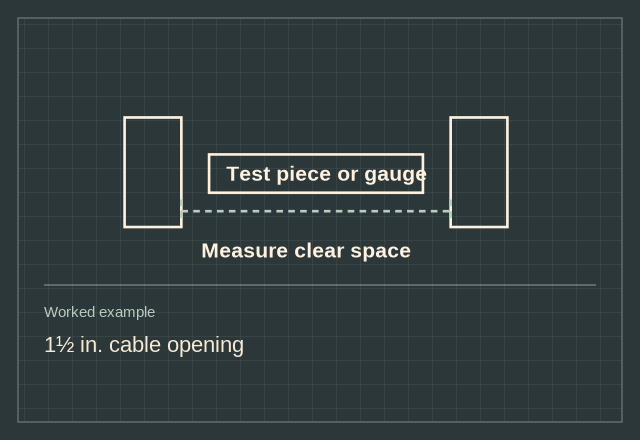
A short right-angle plug may fit while it is attached, yet leave too little room to grip its body for removal. Try with the cable unpowered and support the phone throughout. Set the phone in its usual spot and reach in as you would to unplug it, without pulling on the cord. If your fingers meet the wood before reaching the plug, lift the phone out before disconnecting it and check there is slack for that motion. A fixed cord guide placed too close to the stand can pull the phone upward at precisely this point. Rehearse both insertion and removal before fixing the cable position.
Practice on a plan
Finished dimensions in width × depth × height order.