Fixes at the bench · 3 min read
Why a laptop stand comes up with the laptop
Why does a wooden laptop stand cling to the laptop as I lift it out?
Offcut Journal editorialUpdated
Short answer
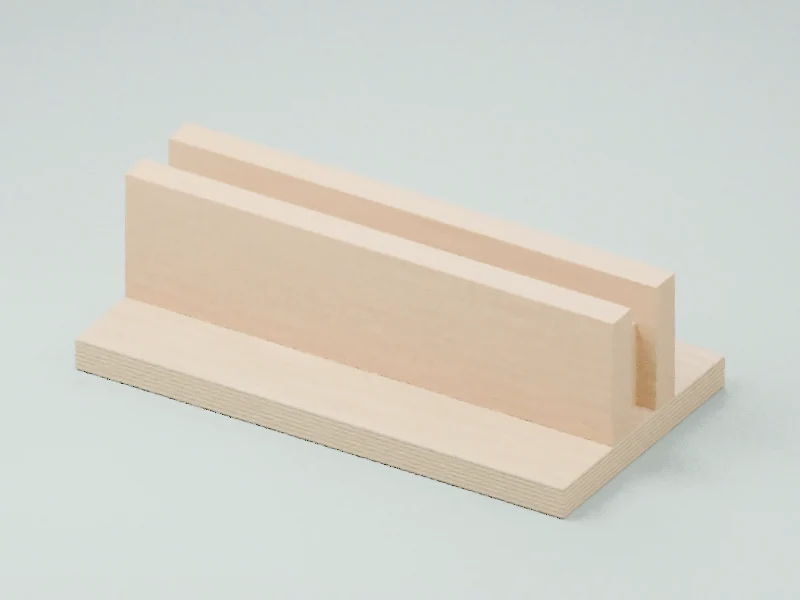
A notebook can stand straight inside a slot and still wedge during a one-handed lift. The first inch of travel is where a raised foot or a corner of the case often meets a cheek. A softer lining can also bunch up at the top and create drag. Use the closed laptop disconnected from its cables, keep a supporting hand on it, and begin by testing the slot with an inert gauge that represents its thickest point.
Find the cause
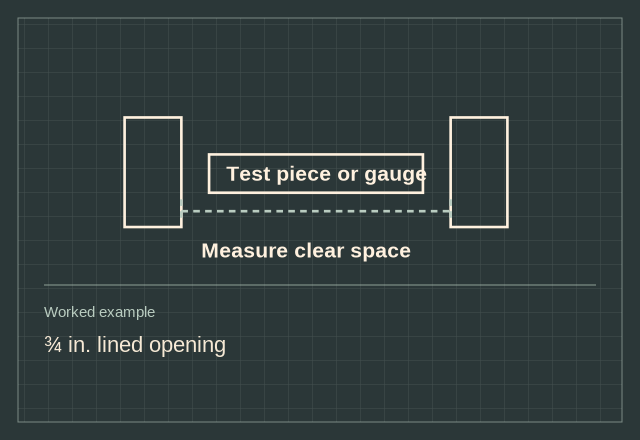
Check the opening along the full height
Try the scrap at both ends of the stand and compare its travel down the cheeks. The same space at the top can narrow where a screw sits proud or a spacer bows. Inspect with the gauge removed and avoid setting the laptop down on exposed hardware. Look for a folded pad edge at the mouth and for dust pressed into the bottom.
Lift straight with two hands
Hold the closed laptop safely supported at both ends and draw it straight up over a clear surface. If the stand stays down on a straight lift but comes up when the near end leads, the tilt is enough to bridge the gap. Put the stand where both hands can approach it without turning the laptop out of plane.
Try removing the spacer as a control
If the plan’s removable spacer is installed, take it out temporarily and repeat with the largest trial gauge that represents the laptop. If this frees the travel, confirm a revised spacer thickness with a straight gauge before altering the real lining. Keep any retained lining smooth. Test the empty stand on the intended desk before placing the laptop.
Pay attention to ventilation and resting orientation
Check the laptop maker’s guidance and leave any vents, hinges and protruding ports clear in normal use and during movement. If clearing the laptop's feet requires an opening so broad that it tips in the stand, use a different spacer or a storage position designed around that laptop’s shape.
Check whether the drag changes as soft lining takes a set
A new soft liner can take an impression after repeated use. Inspect the slot empty, using a scrap gauge in the same thickness as the closed laptop at its thickest point. Lower it behind the lip at both ends, then remove it and look for a ridge that the gauge has pushed up. If the lip closes behind the gauge and resists withdrawal, revisit how the lining ends are secured. Choose a stable surface compatible with the device and plan the slot around its actual lined clearance. Check a fresh revision with the gauge before introducing the laptop, including the direction it normally leaves the stand.
Practice on a plan
Finished dimensions in width × depth × height order.